










In-depth: PostHog vs Pendo

Contents
Want to understand the difference between Pendo and PostHog? Here's the short answer:
Pendo is a product experience platform with in-app guides, product analytics, session replay, feedback collection, and roadmap tools.
PostHog is an all-in-one developer platform that includes product analytics, web analytics, workflows, feature flags, session replays, error tracking, logs, a data warehouse, and more.
Now it's time for the long answer...
In this article we'll explore the crucial differences and similarities between Pendo and PostHog. We’ll cover topics such as:
- Pendo and PostHog's core features
- Product analytics and messaging & feedback features in detail
- Data pipelines and popular integrations
- Libraries, tracking differences and SDKs
- Privacy, security and regulatory compliance
- Other frequently asked questions
How is PostHog different?
1. PostHog is an all-in one platform
PostHog brings all the tools engineers need to measure success, run experiments, and more, into one platform. It has robust analytics, feature flagging, A/B testing, session recording, error tracking, workflows and more.
Pendo now includes session replay and user engagement on higher tiers, but still requires separate tools for feature flags, A/B testing, error tracking, and more.
2. PostHog is built for engineers
We built PostHog for product and engineering teams — especially engineers with a product focus. As such, PostHog includes many powerful features that aren't available in tools like Pendo, which are built for more general audiences. It also means you get support from the engineers who actually build the product, extensively documented APIs, and a SQL query builder, so you can analyze data how you want.
3. Transparent pricing, generous free tiers
Our pricing is 100% transparent. There are no hidden fees or surprise overages – what you see is exactly what you'll pay.
We also default to charging as little as possible while still making a sensible margin, and every product comes with a generous free tier. In fact, more than 90% of companies use PostHog for free!
In 2024, we cut prices for session replay and analytics events. In 2025, we've cut prices for data pipelines and surveys. If we can cut pass a saving onto our customers, we always will.
Comparing PostHog and Pendo
Pendo has four pricing tiers — Free, Base, Core, and Ultimate. Pendo's Free plan is limited to 500 monthly active users and doesn't include session replays.
PostHog uses usage-based pricing with a generous free tier – no credit card required, and unlimited teammates on every plan. Every month, you get 1 million events, 5,000 session replays, 1 million feature flag requests, and more for free. After that, you only pay for what you use, and pricing gets cheaper at scale.
Adding a credit card unlocks additional features like advanced paths, correlation analysis, lifecycle insights, and dashboard subscriptions. Startups can qualify for $50k in free credits, and you can set billing limits per product to avoid surprises. See the pricing page for a full breakdown.
- Product Analytics and Web Analytics: 1 million events/month
- Session Replay: 5,000 recordings/month
- Feature Flags: 1 million requests/month
- Surveys: 1,500 responses/month
- Data warehouse: 1 million synced rows/month + free historical syncs for the first 7 days for each new source
- Error tracking: 100 thousand exceptions/month
- LLM analytics: 100 thousand events/month
- Logs: 50GB ingested/month
- Workflows: 10,000 messages per channel/month
- PostHog AI: 2,000 credits/month
When it comes their product platforms, here is how they compare:
Session replays: Session replays in PostHog recreate exactly what real users see and how they use your product. They also enable you to debug problems using built-in console logs and network performance.
Feature flags: PostHog includes multivariate feature flags that support JSON payloads, enabling you to push real-time changes to your product without redeploying. Teams can use feature flags to offer different features or UI choices to users, to trigger in-app messages, and more.
A/B testing: In PostHog, you can use the experimentation suite to create multivariate tests within your product, such as showing some users a different page layout to others. Over time, you can build an understanding of which page performs better, correlate results with other events, and deploy a final version.
Product Analytics
PostHog and Pendo are ultimately built for different types of users. While PostHog is designed with engineers and technical users in mind, Pendo is intended more for marketers and UX designers.
This difference is reflected in all levels of the product, but especially in product analytics, where many advanced features which are lacking in Pendo, are available in PostHog.
Correlation analysis: Correlation analysis automatically highlights significant linking properties or events relevant to an insight. For example, you can find if users who complete a funnel are likely to be from a certain location, or have completed another event. In PostHog, correlation analysis is a standard part of analytics.
Formulas: Formulas in PostHog enable you to create custom insights using your data. A simple example of a formula would be an equation to figure out a ratio or percentage (e.g. the percentage of users who completed two different events), though advanced formulas can use more elaborate functions, such as
COSandSIN.SQL access: While both PostHog and Pendo have ready-made insights and visualization types, only PostHog gives you unlimited access to your data by writing your own SQL queries. This is ideal for data scientists, product managers, and engineers who want to perform advanced analysis on user data.
Discover what's possible with product analytics
- How to use the PostHog API to get insights and persons
- How to calculate and lower churn rate with PostHog
- Complete guide to event tracking
- How to discover features that drive user retention
- What to do after installing PostHog in 5 steps
In-app engagement, messaging, and feedback
Pendo is built around in-app guides, tooltips, onboarding flows, and collecting user feedback. PostHog covers this ground with two dedicated products: Surveys and Workflows.
Surveys let you collect qualitative feedback directly inside your product – NPS, CSAT, CES, ratings, multiple choice, open text, and link prompts with custom CTAs. They can be displayed as popovers, feedback buttons, or via the API for fully custom UIs. You can target surveys based on person properties, URLs, feature flags, or specific events. Because surveys are part of PostHog, you can see the profiles of who responded, watch their session replays, and analyze responses alongside your product analytics.
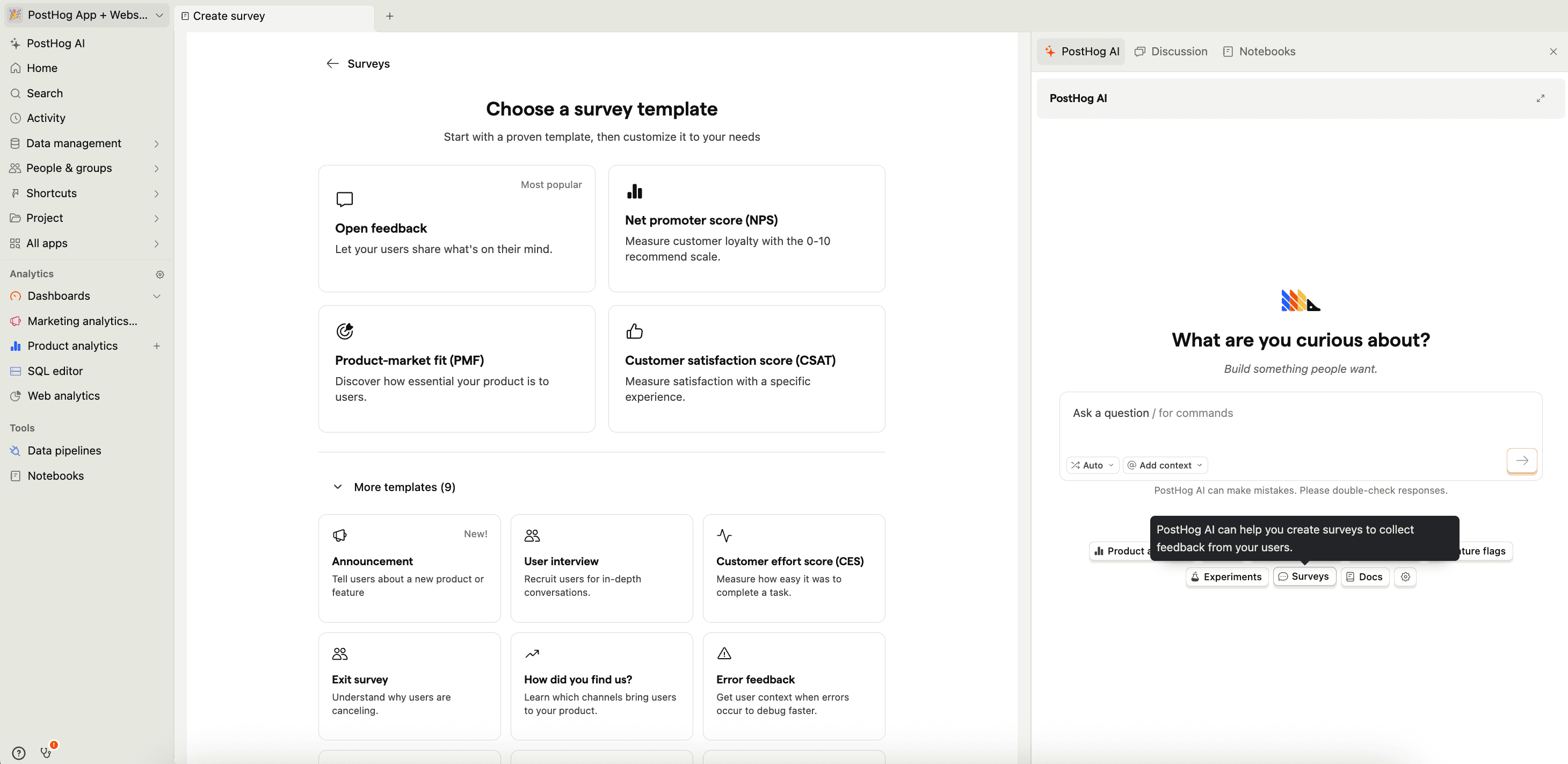
Workflows is PostHog's no-code automation builder for sending behavior-triggered messages and actions. You can send emails, Slack messages, and SMS (via Twilio), add delays and branching logic, split audiences, and trigger any CDP destination – all based on live product events. Think onboarding drip campaigns, milestone notifications, or Slack alerts when a user hits a key event.
The biggest difference is that Pendo provides tooltips and product tours, which can be set up using its drag-and-drop editor without engineering support. PostHog doesn't offer in-app guides (yet, it's currently in alpha) — instead, it covers user engagement through Surveys for targeted feedback and Workflows for behavior-triggered messaging, with deeper integration into your product data.
CDP and integrations
Pendo integrates with popular tools like Salesforce, Jira, Slack, and Segment, and supports data export via webhooks and APIs. It doesn't offer native data pipeline or CDP functionality – you'd need a separate tool like Segment or RudderStack to route data between platforms.
PostHog includes a built-in CDP (Customer Data Platform) with three core components:
- Sources for ingesting data from 20+ managed integrations (Stripe, Hubspot, Salesforce, Snowflake, BigQuery, Google/Meta/LinkedIn Ads, and more
- Transformations for cleaning and enriching event data in real-time (GeoIP enrichment, PII scrubbing, bot filtering, property standardization)
- Destinations for sending PostHog data to other tools in real-time or via batch export.
Because the CDP is built into PostHog, imported data lives alongside your product analytics, session replays, and feature flags – so you can join data with product behavior in a single query without stitching systems together. PostHog also integrates with third-party CDPs like Segment and RudderStack if you already have one set up.
Popular integrations
Below, we've listed a few of the most popular integrations used across PostHog and Pendo.
Want more? For a full list of PostHog’s available integrations, please check the app directory.
Compliance and security
Regulatory compliance can be a critical need for many teams, especially if they operate in financial or healthcare industries. Regulations such as HIPAA and GDPR can require teams to store data in certain locations, or to protect data in certain ways.
SDKs and tracking
Pendo and PostHog both support a variety of tracking and implementation options to get your data into their platform. Both platforms enable you to create tracked events manually, as well as offering autocapture to help you get started quickly.
Autocapture is preferred by many users because it's faster to set up, but some argue that it creates too much noise or cost to be useful. We disagree, and it's why PostHog gives you your first million events for free, every month — so you can capture events without worrying about these issues. It's something we feel quite strongly about.
Library support
PostHog supports a wide range of client and server libraries, but not all features are equally available across all of them. We recommend using PostHog's JavaScript snippet to enjoy all features. See our client library documentation for more information.
When to choose PostHog vs Pendo
Want analytics that connect directly to feature flags, experiments, error tracking, and session replays – with transparent pricing and no sales calls? Go with PostHog.
Need a platform focused on in-app guides, tooltips, onboarding flows, and product validation – with a visual editor built for non-technical PMs? Pendo is built for that.
Recommendations by team type
For engineering-led product teams
- PostHog – SQL access, feature flags with local evaluation, error tracking, LLM analytics, and extensive APIs make it the natural fit for teams where engineers drive product decisions. Open source with a public roadmap means you can see exactly what's coming.
For non-technical product managers
- Pendo – Designed for PMs who want to create in-app guides, tooltips, and onboarding flows without writing code. Its visual editor and product validation tools are purpose-built for teams that don't have engineering resources for every in-app change.
For teams building and shipping features frequently
- PostHog – Feature flags, A/B testing, and error tracking let you roll out safely, measure impact, and catch regressions – all in one platform. Pendo doesn't offer feature flags, experiments, or error tracking natively.
For teams focused on user onboarding and adoption
- Pendo – In-app guides, tooltips, walkthroughs, resource centers, and NPS surveys are Pendo's core strength. PostHog covers surveys and automated messaging via Workflows, but doesn't have Pendo's visual tooltip builder.
For teams building AI products
- PostHog – LLM analytics tracks model performance, token costs, latency, and traces for engineers debugging and optimizing their AI stack. Pendo's Agent Analytics measures AI agent adoption and user success, but doesn't offer technical LLM observability.
For privacy-conscious and regulated organizations
- Both are SOC 2 certified, GDPR-ready, and HIPAA-ready, with EU data residency options. PostHog adds open source code, cookieless tracking, and a built-in data warehouse for full data ownership. Pendo offers EU hosting (GCP EU multi-region) but doesn't offer self-hosting.
For early-stage startups
- PostHog – Generous free tiers across every product (1M events, 5k replays, 1M flag requests/mo), transparent pricing you can model in advance, and startups can qualify for $50k in free credits. Pendo's free tier is limited to 500 MAUs with Pendo branding; paid plans require sales conversations.
For enterprise product teams
- Both work, but for different reasons. Pendo excels at in-app engagement, onboarding, and product validation for large PM teams. PostHog excels at analytics depth, experimentation, error tracking, and developer tooling. Choose based on whether your priority is guiding users (Pendo) or understanding and shipping to them (PostHog).
Frequently asked questions
What's the difference between PostHog and Pendo?
Pendo is a product experience platform built for product managers. It combines product analytics with in-app guides, tooltips, onboarding flows, NPS surveys, product validation, and roadmap tools. Session replay is available on Core plans and above.
PostHog is an all-in-one platform built for engineers, combining product analytics with web analytics, session replay, feature flags, A/B testing, error tracking, LLM analytics, surveys, workflows, a built-in data warehouse, and more.
The key difference is focus: Pendo is optimized for non-technical PMs who want to create in-app guides and collect feedback without code. PostHog is optimized for engineering-led teams who want to measure, experiment, and ship — all from one platform.
Who is Pendo useful for?
Pendo is designed primarily for product managers and customer success teams. Its core features are the ability to create in-app guides, tooltips, and onboarding flows without engineering support, plus tools for collecting user feedback, NPS surveys, product validation, and roadmap planning. It also includes product analytics (funnels, trends, retention) and session replay on Core plans and above.
Pendo is a good fit if your team's primary goal is driving feature adoption and improving onboarding through in-app messaging, and you don't need feature flags, A/B testing, error tracking, or deep developer tooling.
Who is PostHog useful for?
PostHog is built primarily for engineers, technical product managers, and product-focused engineering teams. Beyond product analytics, PostHog includes PostHog AI, feature flags, A/B testing, session replays with console logs and network monitoring, error tracking, LLM analytics, surveys, logs, workflows for automated messaging, and a built-in data warehouse — all with SQL access and extensive APIs.
PostHog is a good fit if your team wants a single platform that covers the full build-measure-learn cycle: ship with feature flags, track with analytics, debug with replays and error tracking, iterate with experiments...
How much does Pendo cost?
Pendo uses MAU-based (monthly active users) pricing across four tiers — Free, Base, Core, and Ultimate — but doesn't publish prices publicly. You need to contact their sales team for a quote.
The Free tier supports up to 500 MAUs with basic analytics, in-app guides, and branded NPS surveys. Base adds one integration and expanded analytics. Core adds session replay. Ultimate adds NPS (unbranded), product discovery, journey orchestration, and data synchronization. Some features like Pendo Listen (feedback) and additional integrations are available as paid add-ons on lower tiers.
Based on third-party data from Vendr and customer reports, typical Pendo costs range from around $15,000 to $140,000+ per year depending on MAU count, features, and contract terms. Paid plans are annual only — Pendo doesn't offer monthly billing.
How much does PostHog cost?
PostHog uses transparent, usage-based pricing. It's free to get started — no credit card required — and every month you get generous free allowances including 1 million analytics events, 5,000 session replays, and 1 million feature flag requests.
After the free tier, you pay only for what you use, and pricing gets cheaper at scale. You can set billing limits per product to avoid surprises, and all pricing is public on the pricing page. Volume discounts and startup credits of $50k are available. In practice, more than 90% of PostHog users stay on the free tier.
Do Pendo and PostHog offer free trials?
Pendo offers a free tier (Pendo Free) rather than a time-limited trial. It supports up to 500 MAUs with basic analytics, in-app guides, and branded NPS surveys. Once you exceed 500 MAUs, you can no longer create guides or segments, and usage data is sampled. Pendo does not offer free trials of its paid plans — you need to contact sales.
PostHog is free to start with no restrictions on features or time. All users get 1 million events, 5,000 session replays, and 1 million feature flag requests free every month. You can set billing limits to keep usage within the free allowance indefinitely, and there's no Pendo-style branding on free accounts. Adding a credit card unlocks advanced features like correlation analysis and lifecycle insights while still staying on the free tier.
Does Pendo have feature flags or A/B testing?
No. Pendo doesn't offer native feature flags, A/B testing, or experimentation. If you need to roll out features gradually, run experiments, or toggle functionality by user segment, you'd need a separate tool like LaunchDarkly or Optimizely.
PostHog includes both feature flags and A/B testing natively, tightly integrated with analytics and session replay. You can target flags by user properties, roll out gradually, measure experiment impact on funnels and retention, and debug issues by filtering replays to specific flag variants.
Does Pendo have error tracking?
No. Pendo doesn't offer error tracking, crash monitoring, or exception handling. You'd need a separate tool like Sentry or Bugsnag for this.
PostHog includes native error tracking that connects exceptions and stack traces directly to session replays, user behavior, and feature flag changes — so you can see exactly what a user was doing when an error occurred and whether a specific release caused it.
Does Pendo have LLM analytics?
Pendo offers Agent Analytics for tracking AI agent adoption, conversation effectiveness, and user success — but it's aimed at product managers measuring business impact, not engineers debugging LLM performance.
PostHog's LLM analytics is developer-focused, tracking traces, token costs, latency, and model performance across your AI stack.
Which has better session replay — PostHog or Pendo?
PostHog has stronger session replay for developers. Beyond watching user sessions, it includes console logs, network request monitoring, a DOM explorer, and performance metrics — so you can debug issues, not just observe behavior. Replays also link directly to error tracking and feature flag evaluations, so you can see exactly what went wrong and which variant a user was on.
Pendo includes session replay on Core plans and above, focused on understanding user journeys alongside in-app guide performance. It doesn't include developer debugging tools. Pendo's free tier doesn't include replay at all; PostHog's free tier includes 5,000 replays/month.
Can I migrate from Pendo to PostHog?
Yes. See the Pendo to PostHog migration guide for step-by-step instructions on exporting your Pendo data and importing it into PostHog, including historical events and user properties.
Does PostHog offer EU hosting?
Yes. PostHog offers EU-hosted cloud with data stored exclusively in the EU. PostHog is SOC 2 certified, GDPR-ready, and HIPAA-ready, with cookieless tracking options and an open-source codebase you can audit.
Pendo also offers EU data residency via GCP's EU multi-region (including Frankfurt, Warsaw, and other locations). Both platforms support GDPR and HIPAA compliance requirements.
Can PostHog replace Pendo?
For analytics, yes. PostHog offers deeper product analytics than Pendo, including funnels, retention, user paths, cohorts, correlation analysis, formula mode, and SQL access. PostHog also includes session replay, surveys (NPS, CSAT, CES, and custom), and Workflows for automated behavior-triggered messaging.
For in-app guides, partially. PostHog's Surveys can display targeted popovers and prompts, and Workflows can trigger emails, Slack messages, and SMS based on user behavior. But PostHog doesn't have Pendo's visual drag-and-drop editor for tooltips, product tours, and walkthroughs. If your team relies heavily on no-code in-app guides, Pendo's editor is still a differentiator.
What are the best Pendo alternatives?
The best Pendo alternatives depend on what you need most:
- PostHog – Best all-in-one platform for engineering-led teams wanting analytics, feature flags, experiments, error tracking, and more
- Mixpanel – Best for self-serve product analytics with a polished UI
- Amplitude – Best for enterprise teams wanting warehouse-native analytics and mature experimentation
- Heap – Best for teams wanting comprehensive autocapture with minimal engineering effort
- Userpilot – Best for non-technical teams focused primarily on in-app onboarding and adoption
For a detailed comparison, see our guide to the best Pendo alternatives.
What are the best product analytics tools in 2026?
The top product analytics tools in 2026 include:
- PostHog – Best all-in-one platform combining product analytics with web analytics, session replay, A/B testing, feature flags, and more
- Mixpanel – Best for self-serve product teams wanting fast, flexible analytics
- Amplitude – Best for enterprises wanting warehouse-native analytics and a built-in CDP
- Pendo – Best for product managers who also need in-app guides and user onboarding
- Heap – Best for teams wanting comprehensive autocapture with minimal instrumentation
- Google Analytics – Best for marketing teams already invested in the Google ecosystem
For detailed comparisons, see our guides to Mixpanel alternatives, Amplitude alternatives, and Heap alternatives.
PostHog is an all-in-one developer platform for building successful products. We provide product analytics, web analytics, session replay, error tracking, feature flags, experiments, surveys, LLM analytics, data warehouse, CDP, and an AI product assistant to help debug your code, ship features faster, and keep all your usage and customer data in one stack.