










The best Heap alternatives & competitors, compared

Contents
Heap made its name with autocapture – install a snippet, start collecting everything, define events later. It's a powerful approach, especially for teams without dedicated data engineering resources.
But autocapture alone doesn't help you ship better products. Heap doesn't include feature flags, A/B testing, or error tracking, for example; its session replay lacks developer debugging tools, and key features like group analytics require a sales conversation.
If you've outgrown Heap or need more from your analytics stack, this guide compares the best alternatives – whether you want a similar tool or a full platform for building better products.
1. PostHog
- Founded: 2020
- Similar to: Heap, Amplitude
- Typical users: Engineers and product teams
- Typical customers: Mid-size B2Bs and startups
What is PostHog?
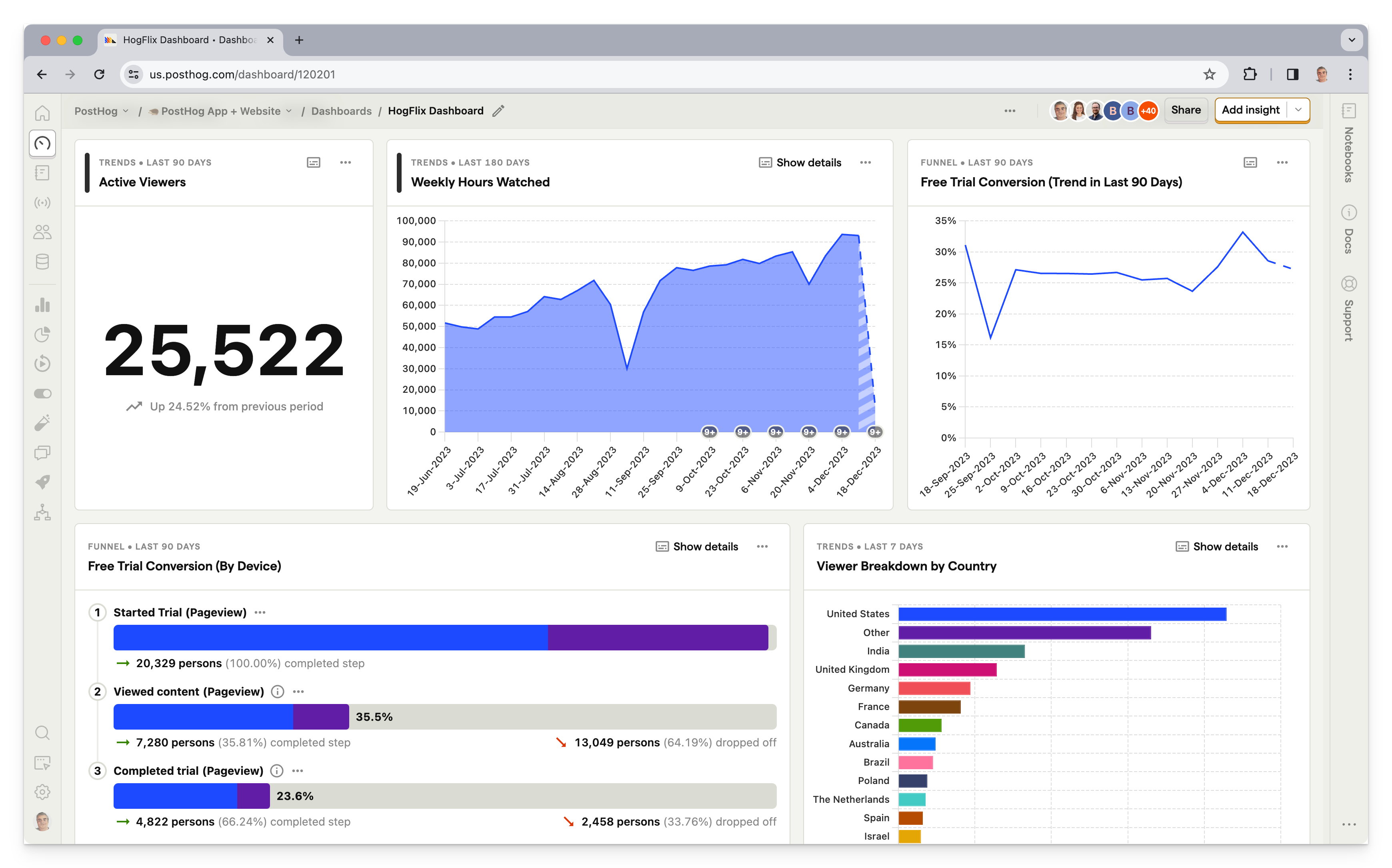
PostHog (that's us 👋) is an all-in-one platform combining product analytics, error tracking, session replays, web analytics, A/B testing, feature flags, user surveys, LLM observability,logs, and more into one product. This means it's not just an alternative to Heap, but also tools like LaunchDarkly and LogRocket.
Typical PostHog users are engineers and product managers at startups and mid-size companies, particularly B2B companies. Customers include Supabase, Lovable, ElevenLabs, and see all customers.
Key features
Product analytics: Funnels, user paths, retention analysis, custom trends, and dynamic user cohorts. Also supports SQL insights for power users.
Session replays: Including event timelines, console logs, and network activity, and 90-day data retention.
Feature flags: Release features to specific users safely with local evaluation (for faster performance) and JSON payloads.
A/B tests: Up to 9 test variations, primary and secondary metrics. Automatically calculate test duration, sample size, and statistical significance.
Surveys: Target surveys by event or person properties. Templates for Net Promoter Score (NPS), product-market fit (PMF) surveys, and more.
Error tracking: Monitor exceptions, stack traces, and crashes – connected directly to session replays, user behavior, and feature flag changes.
<<<<<<< HEAD
Data warehouse to import and query data from external sources like Stripe, Zendesk, Hubspot, or your existing warehouse – analyze business and product data together.
- Data warehouse: Import and query data from external sources like Stripe, Zendesk, Hubspot, or your existing warehouse – analyze business and product data together.
ad5c71eb9310f6bfcb982d41cc1901fa318966cb
How does PostHog compare to Heap?
PostHog is the most direct like-for-like alternative to Heap.
Unlike Mixpanel and Amplitude, PostHog supports event autocapture, which means it starts capturing data from the moment you deploy PostHog's code.
You can also create and label events using the PostHog toolbar. This is similar to Heap's visual labeling feature, though it's only supported on web apps.
Main differences between PostHog and Heap
- PostHog includes feature flags, A/B testing, surveys, error tracking, and LLM analytics; Heap doesn't offer any of these natively.
- PostHog's session replay includes console logs, network monitoring, DOM explorer, and performance metrics; Heap's replay is simpler and lacks developer debugging tools.
- PostHog includes a built-in data warehouse for importing and querying external data from Stripe, Hubspot, Zendesk, and more; Heap imports user context via "Sources" (Salesforce, Marketo, Segment, etc.) but queries happen within Heap's UI rather than via SQL.
- PostHog offers SQL access for custom queries; Heap doesn't support direct SQL querying.
- PostHog is open-source; Heap is closed-source and cloud-only.
Main similarities between PostHog and Heap
- Both support event autocapture that starts collecting data immediately after installation.
- Both include product analytics with funnels, retention charts, user paths, and cohorts.
- Both support heatmaps for understanding where users click and scroll.
- Both support group analytics for account-level analysis in B2B products.
- Both offer data warehouse exports — Heap Connect syncs to Snowflake, BigQuery, Redshift, and S3; PostHog exports to S3, BigQuery, Snowflake, and Redshift via batch exports.
Why do companies use PostHog?
According to reviews on G2, companies use PostHog because:
It replaces multiple tools: PostHog can replace Heap (product analytics), LaunchDarkly (feature flags and A/B testing), and Hotjar (session replay and surveys). This simplifies workflows and ensures all their data is in one place.
Pricing is transparent and scalable: Reviewers appreciate how PostHog's pricing scales as they grow. There's a generous free tier. Companies eligible for PostHog for Startups also get $50k in additional free credits.
They need a complete picture of users: PostHog includes every tool necessary to understand users and improve products. This means creating funnels to track conversion, watching replays to see where users get stuck, testing solutions with A/B tests, and gathering feedback with user surveys.
Bottom line
PostHog offers product analytics with autocapture, session replay, and a visual labeling tool for creating events. This, combined with additional features like feature flags, A/B testing, and surveys, makes it an excellent like-for-like replacement for Heap.
2. FullStory
- Founded: 2012
- Most similar to: PostHog, Glassbox
- Typical users: Product managers, customer success, and support
- Typical customers: Online retailers and SaaS companies
What is FullStory?
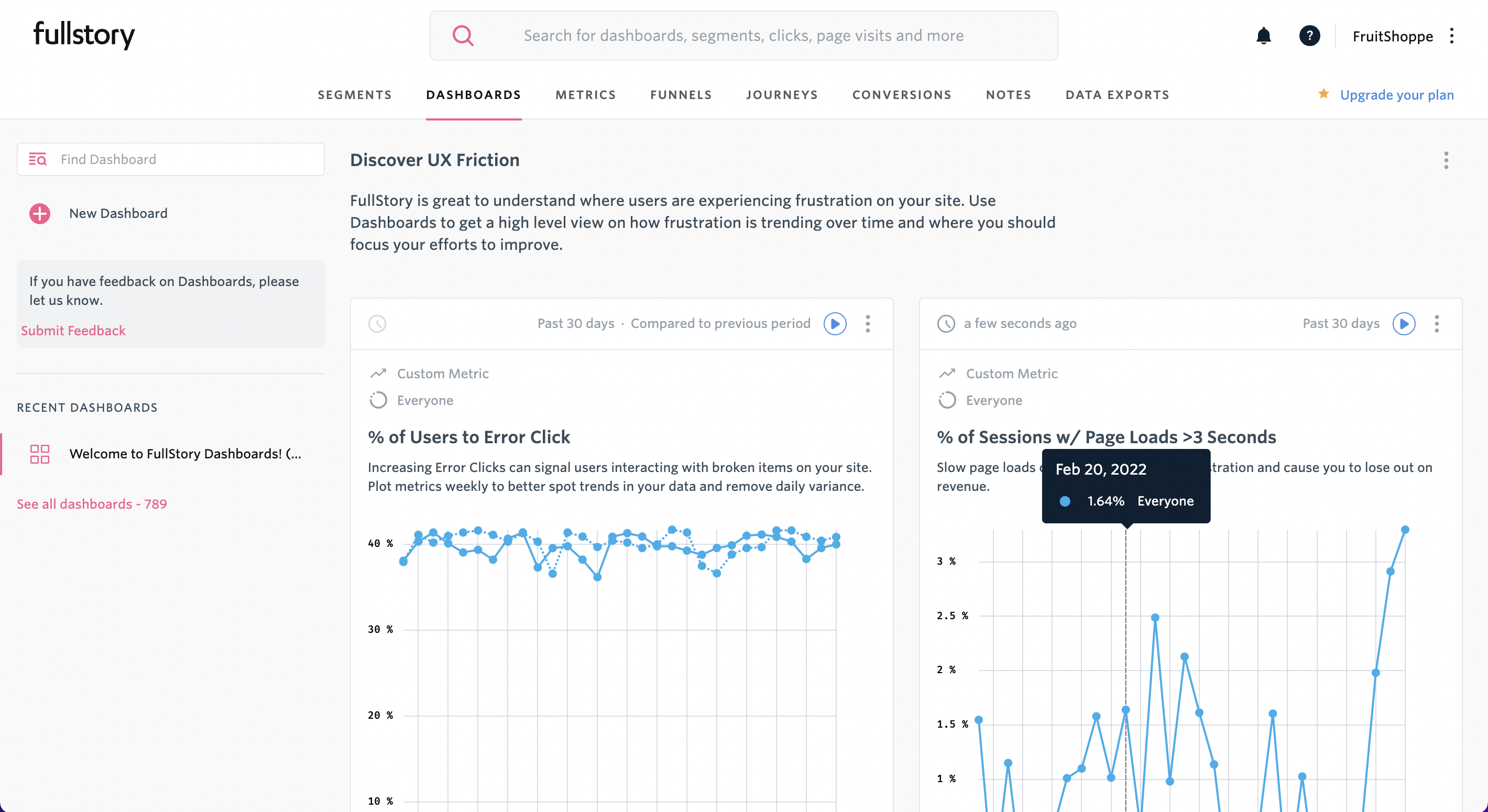
FullStory describes itself as Digital Experience Intelligence, which is code for session replay and mobile app analytics, with a side of product analytics. Like Heap and PostHog, it supports event autocapture, so you don't have to manually code every event you want to capture.
Key features
Session replay: Watch and analyze real user sessions on web and mobile apps.
Product analytics: Understand user paths and struggle points.
Event autocapture: Tagless event capture that ensures all events are tracked.
Heatmaps: Find out where users click and frustration points.
Mobile app analytics: Crash analytics and users path analysis.
How does FullStory compare to Heap?
FullStory and Heap share a similar feature set – autocapture, product analytics, session replay, and heatmaps – but FullStory leans more toward session replay and user experience debugging, while Heap is stronger on the analytics side with its visual event editor and retroactive event definition.
Main differences between FullStory and Heap
- FullStory's core strength is session replay with frustration signals (rage clicks, dead clicks, error clicks); Heap leads with product analytics and retroactive event definition.
- Heap has a visual event editor for non-technical users to tag and define events without code; FullStory doesn't offer an equivalent labeling tool.
- Heap offers managed ETL for exporting data to warehouses; FullStory's data export options are more limited.
- FullStory is more commonly used by customer success and support teams; Heap is primarily used by product managers.
- Heap's free tier is limited to 10,000 sessions/month; FullStory's free plan (FullstoryFree) includes 30,000 sessions with 12 months of data retention.
Main similarities between FullStory and Heap
- Both offer session replay and heatmaps for understanding user behavior.
- Both include product analytics with funnels, user paths, and conversion tracking.
- Both are designed to be accessible to non-technical teams.
- Neither offers feature flags, A/B testing, or surveys natively.
- Both integrate with third-party tools like Segment, Salesforce, and Slack.
- Both are closed-source, cloud-only platforms.
Why do companies use FullStory?
According to reviews on G2, companies use FullStory for:
Easier collaboration: As an accessible tool for non-technical users, FullStory facilitates collaboration between product, UX, and engineering teams by allowing all teams to access useful, reliable data.
Viewing user issues: Support teams use FullStory to replay sessions to understand user hard to replicate problems, and identify bugs that need fixing.
Improving conversion: FullStory users like to combine funnel insights with replays of user sessions to understand pain points and improve conversion.
Bottom line
FullStory is a good Heap alternative for non-technical teams, particularly customer success and support teams who need to diagnose user problems. It has superior session replay features, though arguably is less focused on analytics use cases than Heap or PostHog.
3. Glassbox
- Founded: 2010
- Most similar to: FullStory
- Typical users: Business analysts, product support
- Typical customers: Retail and financial services
What is Glassbox?
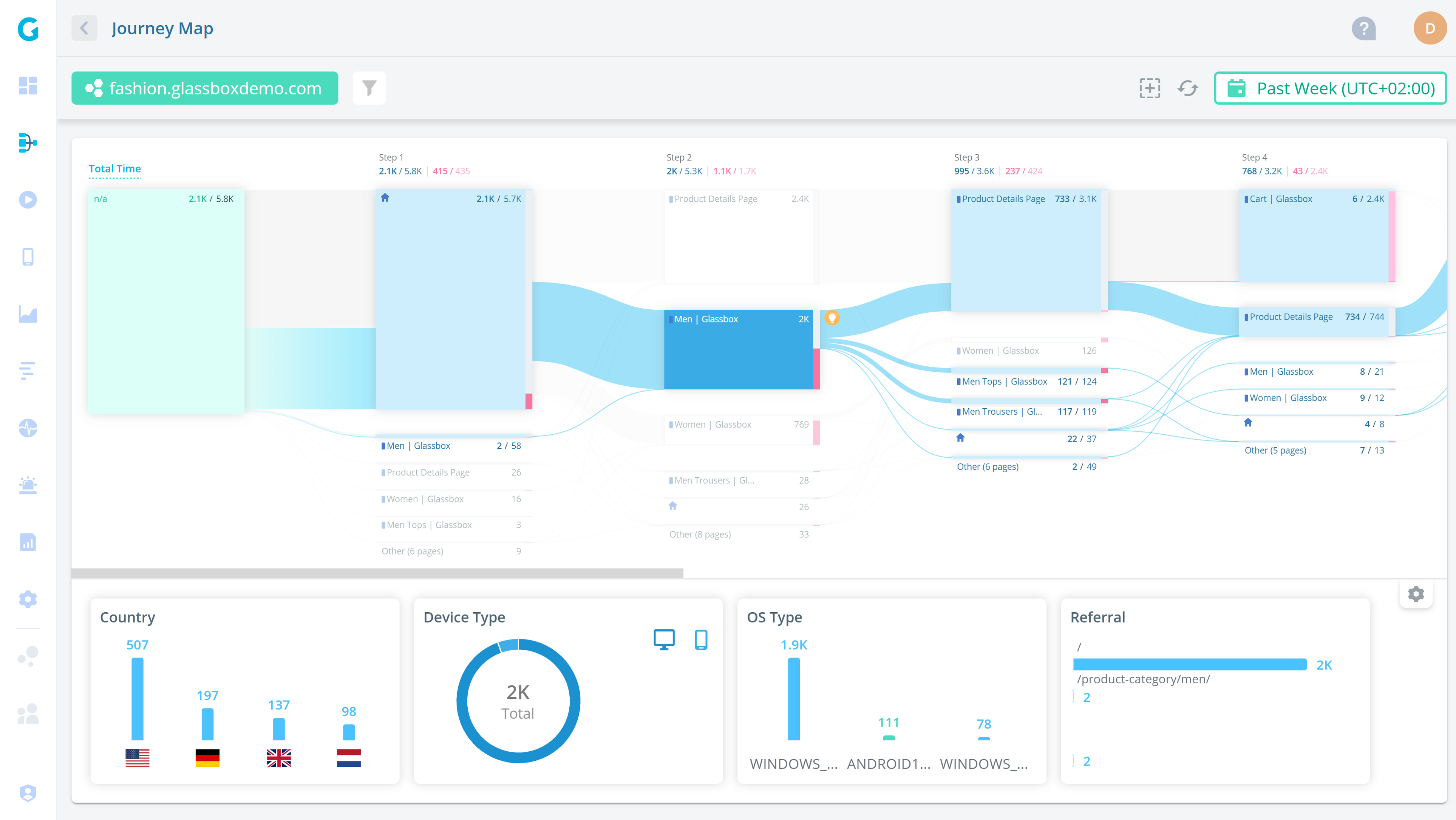
Glassbox is a session replay and analytics platform with a particular focus on mobile apps and e-commerce use cases. Customers include UK retailer Sainsbury's, Marriott, and Experian.
Unlike Heap, which is mainly used by product managers, G2 suggests Glassbox is predominantly used by business analysts and support teams.
Key features
Session replay: Watch and analyze real user sessions on web and mobile apps.
Product analytics: Understand user paths and struggle points.
Performance analytics: Track app performance and their impact on conversion rates.
Click, scroll and heatmaps: Understand where users interact with your app.
User feedback: Gather satisfaction and user feedback on app experience.
How does Glassbox compare to Heap?
Glassbox offers similar core features to Heap, including product analytics with autocapture – Glassbox calls it tagless tracking. It doesn't offer visual labeling tool, however.
Main differences between Glassbox and Heap
- Glassbox includes performance analytics that track app speed and its impact on conversion; Heap doesn't offer native performance monitoring.
- Glassbox offers built-in user feedback collection; Heap doesn't have native survey or feedback tools.
- Heap has a visual event editor for non-technical users to tag and define events retroactively; Glassbox supports autocapture (tagless tracking) but has no equivalent labeling tool.
- Heap offers managed ETL for exporting data to warehouses like Snowflake and BigQuery; Glassbox's data export options are more limited.
- Heap is self-serve with a free tier; Glassbox is sales-driven with no public pricing or free plan.
- Glassbox has a stronger focus on mobile app analytics with native mobile session replay; Heap's mobile replay requires its Contentsquare integration.
Main similarities between Glassbox and Heap
- Both support event autocapture (Glassbox calls it "tagless tracking") that collects data without manual instrumentation.
- Both offer session replay and heatmaps for understanding user behavior.
- Both include product analytics with funnels, user paths, and conversion tracking.
- Neither offers feature flags, A/B testing, or experiments natively.
- Both are closed-source, cloud-only platforms.
- Both are used to diagnose conversion drop-offs and improve user experience.
Why do companies use Glassbox?
According to G2 reviews, customers use Glassbox for:
Session replay and error analysis: Glassbox is best-known for its session replay features, so this is the most popular use case. Customers use Glassbox to analyze user journeys and identify app-breaking bugs.
Heatmap and funnel analysis: Users like the heatmaps feature, which enables them to see user preferences on key pages and use this to visualize user funnels.
Fixing low conversion and abandonment: Glassbox is popular among online retailers, who use it to solve issues around conversion and basket abandonment.
Bottom line
Glassbox is a good Heap alternative for online retailers mostly interested in mobile app analytics and session replay, but SaaS companies should look elsewhere.
4. Pendo
- Founded: 2013
- Most similar to: PostHog, Heap
- Typical users: Product managers and customer success teams
- Typical customers: Small and mid-market B2C companies
What is Pendo?
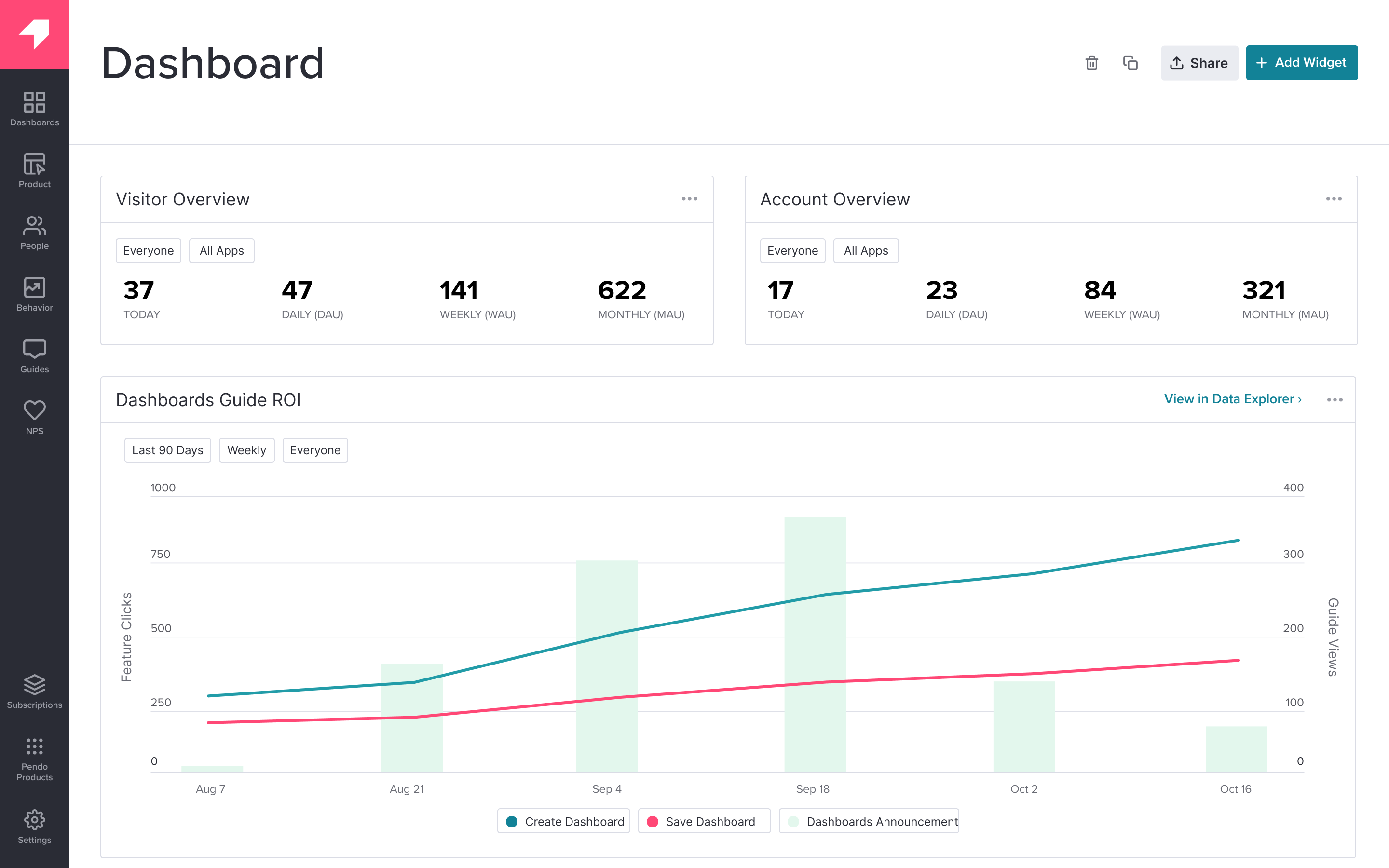
Pendo describes itself as a product experience platform. In addition to product analytics, it offers session replay, in-app guides, user feedback, and product validation tools.
Key features
Product analytics: Funnels, trends, and retention analysis with event autocapture.
In-app guides: Deliver personalized guidance to customers, directly inside your app.
User feedback: Capture and analyze customer feedback at scale.
Product validation and roadmaps: Plan your product improvements and roadmap using data from Pendo.
How does Pendo compare to Heap?
Pendo offers similar features to Heap, including event autocapture and session replay. It lacks a visual labeling tool for events, however.
Main differences between Pendo and Heap
- Pendo includes in-app guides for user onboarding, tooltips, and feature announcements; Heap doesn't offer any in-app messaging.
- Pendo has built-in product validation and roadmap tools for aligning teams on priorities; Heap focuses purely on analytics and replay.
- Pendo includes native user feedback collection and NPS surveys; Heap doesn't offer feedback or survey tools.
- Heap captures every user interaction (clicks, scrolls, form inputs, rage clicks) and lets you define events retroactively; Pendo's autocapture is limited to page loads and feature clicks, and requires tagging before data appears in reports.
- Heap's session replay and analytics features are more mature; Pendo's analytics are functional but secondary to its product experience tools.
Main similarities between Pendo and Heap
- Both support event autocapture that starts collecting data without manual instrumentation.
- Both offer session replay for watching real user sessions.
- Both include product analytics with funnels, trends, retention analysis, and user paths.
- Both support group analytics for account-level analysis in B2B products.
- Both are primarily designed for non-technical product managers.
- Neither offers feature flags, A/B testing, or experiments natively.
Why do companies use Pendo?
According to G2 reviews, customers use Pendo for:
Customer support and feedback: Users value Pendo as a useful tool for customer support and feedback collection. They use Pendo's feedback features to gather qualitative data, and feed that into Pendo's validation and roadmap features.
Improving onboarding: Combining Pendo's in-app guides and analytics features makes it easy for non-technical users to experiment with new onboarding flows, improving user adoption.
Product planning: Customers to use Pendo's data tools, product validation, and roadmap features to align internal teams and stakeholders on product development.
Bottom line
Pendo is similar to Heap in many ways. It's primarily designed for non-technical users, and supports event autocapture, making it viable alternative for product teams.
5. Mixpanel
- Founded: 2009
- Most similar to: PostHog, Heap, and Amplitude
- Typical users: Product managers, desginers and marketing teams
- Typical customers: Mid-size B2C and B2B companies
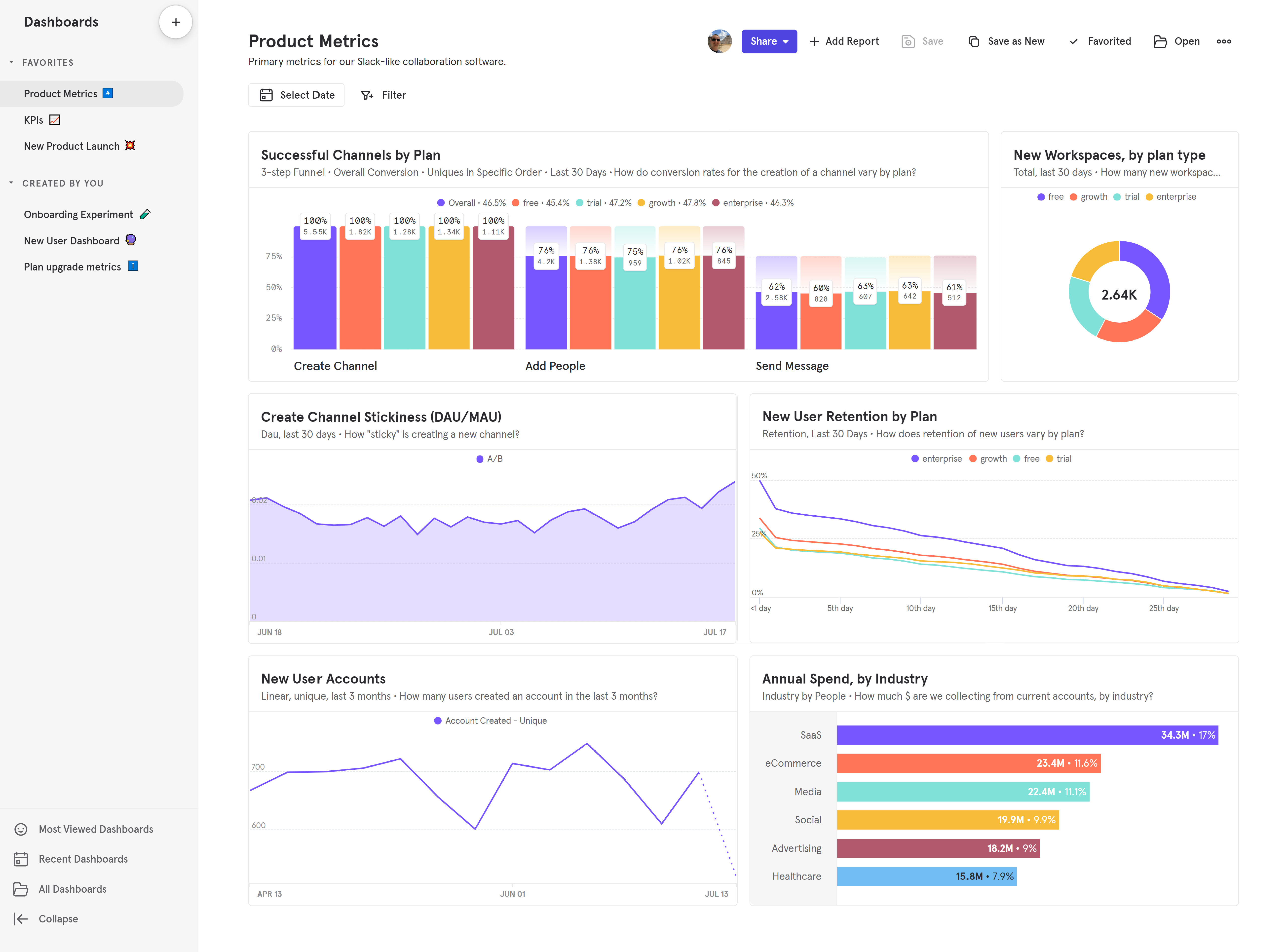
What is Mixpanel?
Mixpanel is one of the most popular product analytics tools on the market. Founded in 2009, it previously narrowed its focus to analytics alone, but has since expanded again – adding session replay, heatmaps, A/B testing (Enterprise), and feature flags in recent years.
Key features
Product analytics: Track user behavior, trends, and retention
Collaborative notebooks: Create analysis in notebooks and collaborate with colleagues
Anomaly detection: Get automated alerts when metrics fall outside a positive or negative range
Filtered data views: Hide and filter data on a per-team basis to reduce noise
How does Mixpanel compare to Heap?
Mixpanel and Heap are similar in many ways. They're both used mainly by product managers and offer product analytics. Mixpanel has closed the gap in recent years by adding session replay, heatmaps, A/B testing, and feature flags.
The key remaining difference is autocapture: Heap records everything from day one and lets you define events retroactively, while Mixpanel supports autocapture but relies more on manual event instrumentation for deeper tracking.
Main differences between Mixpanel and Heap
- Heap's autocapture is more comprehensive – it records everything by default and lets you define events retroactively with a visual editor. Mixpanel supports autocapture but relies more on manual instrumentation for deeper tracking.
- Mixpanel now offers A/B testing and feature flags (relaunched in late 2025); Heap doesn't offer either natively.
- Mixpanel includes collaborative notebooks for sharing analysis with teammates; Heap doesn't have an equivalent.
- Mixpanel offers anomaly detection with automated alerts; Heap relies on its analysis suggestions to surface insights.
- Heap includes managed ETL for exporting data to warehouses; Mixpanel offers bidirectional warehouse sync and warehouse-native analytics that can query your warehouse directly.
- Mixpanel's free tier includes 1 million events/month; Heap's free tier is limited to 10,000 sessions.
Main similarities between Mixpanel and Heap
- Both are popular product analytics platforms designed primarily for product managers.
- Both offer funnels, retention charts, user paths, cohorts, and custom dashboards.
- Both now offer session replay and heatmaps.
- Both support group analytics for account-level B2B analysis.
- Both integrate with CDPs like Segment and Rudderstack, and data warehouses like Snowflake and BigQuery.
- Both are self-serve with free tiers and transparent pricing.
Why do companies use Mixpanel?
Eliminate need for data analysts: Reviewers on G2 note Mixpanel helps them structure large volumes of data, and make data-driven decisions, reducing their reliance on dedicated data analysts to produce insights.
Campaign targeting and tracking: Marketing users appreciate the ability to create user segments and target specific users, enabling more personalized campaigns and improved user engagement.
Understanding user behavior: In common with most analytics tools, Mixpanel's users mostly want to understand user behavior, identify bottlenecks, and monitor core metrics like conversion rates, activation, and retention.
Bottom line
Mixpanel is a strong Heap alternative with a mature analytics feature set and recent additions like session replay, heatmaps, and A/B testing. The main trade-off is autocapture depth – if your team relies on retroactive event definition without engineering support, Heap still has the edge.
6. Amplitude
- Founded: 2012
- Most similar to: Mixpanel
- Typical users: Product managers, data analysts, marketing teams
- Typical customers: Mid-size and large enterprises
What is Amplitude?
Amplitude is an analytics and testing tool with a particular focus on large enterprise customers, like Ford, NBCUniversal, and Walmart.
Key features
Product analytics: Funnel and retention analysis, user paths, behavioral cohorts, custom dashboards, and more.
A/B testing: Support for JSON payloads, primary, secondary, and counter metrics.
Customer data platform: Combine analytics data with third-party tools for data governance, identity resolution, and data federation.
AI insight builder: Generate insights based on natural language requests, like "What is my purchase conversion rate?".
How does Amplitude compare to Heap?
Amplitude and Heap are both mature product analytics platforms, but they've evolved in different directions.
While they overlap on core analytics, session replay, and heatmaps, Amplitude skews enterprise with warehouse-native analytics, built-in experimentation, and a CDP. Heap's edge is autocapture depth: it records everything from day one and lets you define events retroactively without code. Amplitude is better for large teams with data engineers; Heap is more accessible to self-serve product managers.
Main differences between Amplitude and Heap
- Heap's autocapture is more comprehensive. Amplitude supports basic autocapture but relies more on manual instrumentation.
- Amplitude offers warehouse-native analytics that can sit on top of Snowflake, BigQuery, or Databricks and query your data directly; Heap offers managed ETL exports but no native warehouse querying.
- Amplitude includes a built-in customer data platform (CDP) for identity resolution, data governance, and audience syndication; Heap doesn't offer a native CDP.
- Amplitude offers mature A/B testing and feature flags with holdout testing and a Bayesian statistics engine; Heap doesn't offer either natively.
- Amplitude targets large enterprises with dedicated data and product teams; Heap is more focused on self-serve product managers at mid-market companies.
Main similarities between Amplitude and Heap
- Both are mature product analytics platforms with 10+ years in market.
- Both offer funnels, retention charts, user paths, cohorts, and custom dashboards.
- Both now offer session replay and heatmaps.
- Both support group analytics for account-level B2B analysis.
- Both offer an AI-powered natural language insight builder.
- Both integrate with CDPs like Segment and Rudderstack, and data warehouses like Snowflake and BigQuery.
- Both are SOC 2 certified and GDPR-ready.
Why do companies use Amplitude?
Reducing load on data teams: Amplitude is designed to enable non-technical users to self-serve analytics. Amplitude cites NBCUniversal as a company that's benefited from its data team spending less time responding to requests for analysis.
Large-scale experimentation: Unlike Mixpanel, Amplitude offers built-in experimentation features. This enables companies to run experiments on users using existing cohorts created in Amplitude.
Resolving data quality problems: Companies that use Amplitude, particularly large ones, often migrate from outdated, self-built, tools that generate poor quality data. Amplitude helps them fix that while making analytics more accessible.
Bottom line
Amplitude is a strong Heap alternative for enterprise teams, especially those wanting warehouse-native analytics, mature experimentation, and a built-in CDP. The main trade-off is autocapture – if your team relies on retroactive event definition without engineering effort, Heap is the better choice.
7. Google Analytics 4
- Released: October 2020
- Most similar to: Amplitude
- Typical users: Marketing and content teams
- Typical customers: Commerce websites and large enterprises
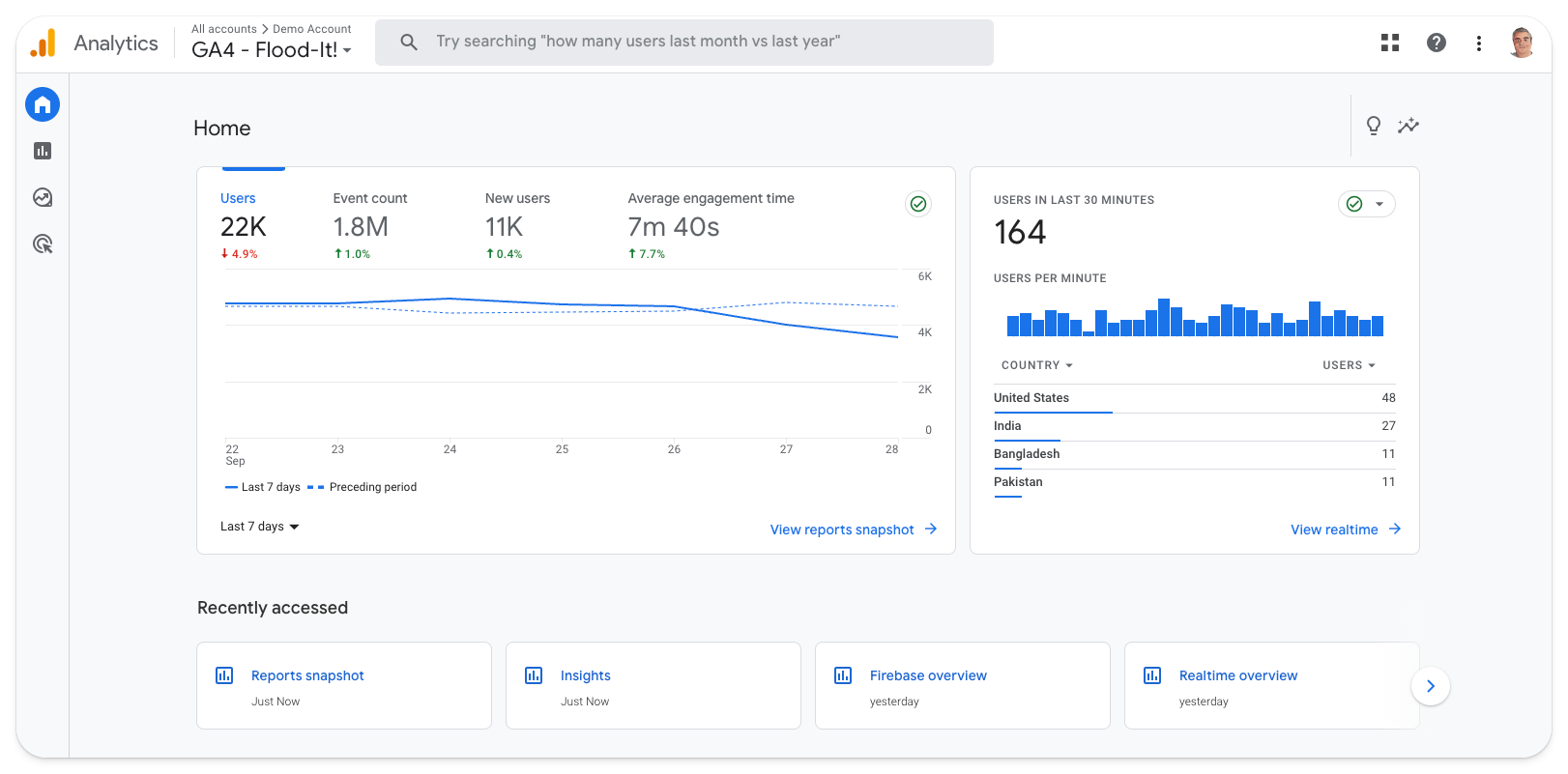
What is Google Analytics 4?
Google Analytics 4 (GA4) is a marketing and product analytics tool that's tightly integrated with other Google products, such as Ads, BigQuery, Looker Studio, and Firebase.
Unlike its predecessor, Universal Analytics (GA3), it's event-based. It also introduces new report types, such as conversion funnels and retention tables. This makes it more useful to product teams than before.
Key features
Predictive insights alert you to trends you're not aware of, like an increase in traffic to a specific landing page, or an anomalous decline in conversion from one period to another.
Integration with Google tools means it's easy to analyze your GA4 data elsewhere, such as Google's dashboarding tool, Looker Studio.
Natural language search means you can ask specific questions, like "MoM growth in users on iOS", rather searching existing reports.
How does GA4 compare to Heap?
GA4 supports event autocapture (calling it "enhanced measurement"), but it' less comprehensive than Heap's – covering scrolls, outbound clicks, and file downloads rather than every interaction. The bigger difference is focus: GA4 is a marketing and web analytics tool built around the Google ecosystem, while Heap is a product analytics tool built for understanding in-product user behavior.
Main differences between GA4 and Heap
- GA4 is primarily a marketing and web analytics tool with deep Google Ads, BigQuery, and Looker Studio integration; Heap is built for product analytics with a focus on understanding in-product user behavior.
- Heap's autocapture records all interactions and lets you define events retroactively with a visual editor; GA4's autocapture ("enhanced measurement") covers basic interactions like scrolls and outbound clicks but is far less comprehensive.
- GA4 is free for up to 10 million events/month; Heap's free tier is limited to 10,000 sessions.
- Heap offers session replay and heatmaps; GA4 doesn't offer either.
- GA4 includes predictive insights and audience building for ad targeting; Heap doesn't offer advertising or marketing attribution tools.
- Heap supports group analytics for account-level B2B analysis; GA4 doesn't have a native equivalent.
- GA4 uses cookies and typically requires consent banners in the EU; Heap also uses cookies but offers more granular privacy controls.
Main similarities between GA4 and Heap
- Both are event-based analytics platforms with funnels, retention, and conversion tracking.
- Both support a form of event autocapture without manual instrumentation.
- Both offer custom dashboards and reporting.
- Both integrate with data warehouses like BigQuery and Snowflake.
- Both support UTM campaign tracking and traffic source analysis.
- Neither offers feature flags, A/B testing, or surveys natively.
Why do companies use GA4?
Because it's Google: It's not an original reason, but it holds true. Using Google Analytics makes a lot of sense for teams who rely on other Google platforms, like Google Ads and BigQuery.
It's powerful and free: Likewise, Google's scale means GA4 is completely free to most small and medium-sized businesses. This, combined with strong analytical tools and the large ecosystem of GA experts to call upon, makes it a safe choice.
To track marketing ROI: GA4 is predominantly used by marketing and e-commerce teams to track campaign ROI. It's also popular among large content publishers for its scalability.
Bottom line
Until recently, Google Analytics wasn't a viable Heap alternative. The launch of GA4 changed this, but switching from Heap to Google only makes sense if you're keen to integrate deeper into Google's ecosystem of data tools, like BigQuery and Looker Studio.
Which Heap alternative should you choose?
- Want analytics integrated with feature flags, experiments, error tracking, session replays, and more? PostHog closes the loop in one platform.
- Need session replay with frustration detection for UX and support teams? FullStory leads the charge.
- Retail or financial services team focused on mobile app experience? Glassbox is built for that.
- Want analytics plus in-app guides, onboarding flows, and product roadmapping? Pendo combines them.
- Looking for mature analytics with experimentation and warehouse-native queries? Amplitude skews enterprise.
- Want polished, self-serve product analytics with a strong free tier? Mixpanel is a solid pick.
- Heavily invested in Google Ads, BigQuery, and the Google ecosystem? GA4 is hard to beat for marketing attribution.
Is PostHog right for you?
Here's the (short) sales pitch.
We're biased, obviously, but we think PostHog is the perfect Heap replacement if:
- You value transparency (we're open source and open core)
- You want to use fewer tools (we can replace way more than just Heap)
- You want try before you buy (we're self-serve with a generous free tier)
Check out our product pages and read our docs to learn more.
Frequently asked questions
What is Heap used for?
Heap is a product analytics platform known for comprehensive autocapture. It automatically records clicks, pageviews, form submissions, and other user interactions from the moment you install it, letting you define and analyze events retroactively without engineering support. It also includes session replay and heatmaps, and is now part of Contentsquare.
Why look for Heap alternatives?
Common reasons include: needing feature flags, A/B testing, or error tracking that Heap doesn't offer natively; wanting developer debugging tools like console logs and DOM inspection in session replay; needing transparent, self-serve pricing (Heap's higher tiers require sales conversations); wanting EU data residency (Heap doesn't currently offer this); or looking for an open-source platform with SQL access.
What's the best Heap alternative overall?
For most teams, PostHog is the best alternative. It's the only tool on this list that matches Heap's autocapture while also including feature flags, A/B testing, surveys, error tracking, LLM analytics, and a built-in data warehouse – all with a generous free tier.
Which Heap alternatives support autocapture?
PostHog, FullStory, Glassbox, Pendo, and GA4 all support some form of autocapture. PostHog and FullStory are the closest to Heap's approach – both start recording interactions immediately. GA4's "enhanced measurement" is more limited, covering basic interactions like scrolls and outbound clicks. Mixpanel and Amplitude support autocapture but rely more on manual instrumentation for deeper tracking.
Which Heap alternatives are open source?
PostHog is the only open-source Heap alternative on this list; its code is publicly available on GitHub. All other tools listed – FullStory, Glassbox, Pendo, Mixpanel, Amplitude, and GA4 – are closed-source. See our guide to the best open-source analytics tools for more options.
Which Heap alternative has the best free tier?
PostHog offers the most generous free tier: 1 million events, 5,000 session replays, and 1 million feature flag requests per month – with no credit card required. GA4 is free for up to 10 million events but has limited product analytics. FullStory's free plan includes 30,000 sessions with 12 months of retention. Mixpanel offers 1 million events free. Heap's free tier is limited to 10,000 sessions.
Does Heap have feature flags or A/B testing?
No. Heap doesn't offer native feature flags or experimentation. You'd need a separate tool like LaunchDarkly, Optimizely, or PostHog. PostHog includes both feature flags and A/B testing natively, tightly integrated with analytics so you can measure experiment impact on funnels, retention, and revenue.
Does Heap have error tracking?
No. Heap doesn't offer error tracking or crash monitoring. If you need to monitor exceptions alongside your analytics, you'd need a separate tool like Sentry or Bugsnag. PostHog includes native error tracking that connects exceptions and stack traces directly to session replays, user behavior, and feature flag changes.
What happened to Heap after the Contentsquare acquisition?
Contentsquare completed its acquisition of Heap in December 2023. Heap's product analytics features have been integrated into Contentsquare's broader experience intelligence platform, alongside Hotjar. Heap continues to operate as a product, but its roadmap is now shaped by Contentsquare's enterprise and ecommerce focus.
Can I migrate from Heap to PostHog?
Yes. See the Heap to PostHog migration guide for step-by-step instructions on exporting your Heap data and importing it into PostHog, including historical events and user properties.
Can PostHog replace Google Analytics?
Yes. PostHog includes web analytics for tracking pageviews, bounce rate, traffic sources, and UTM campaigns. You can integrate it using Google Tag Manager. See the PostHog vs GA4 comparison and intro for Google Analytics users for more.
Does PostHog offer EU hosting?
Yes. PostHog offers EU-hosted cloud with data stored exclusively in the EU. PostHog is also SOC 2 certified, GDPR-ready, and HIPAA-ready.
How does PostHog compare to Amplitude and Mixpanel?
Amplitude and Mixpanel offer similar product analytics features to Heap but take different approaches. Amplitude skews enterprise with warehouse-native analytics, a built-in CDP, and mature experimentation. Mixpanel is more self-serve with polished analytics and recent additions like session replay and heatmaps. PostHog goes further with feature flags, error tracking, LLM analytics, and surveys in one platform. Read the PostHog vs Mixpanel and PostHog vs Amplitude comparisons for details.
What are the best product analytics tools in 2026?
The top product analytics tools in 2026 include:
- PostHog – Best all-in-one platform combining product analytics with web analytics, session replay, A/B testing, feature flags, and more
- Mixpanel – Best for self-serve product teams wanting fast, flexible analytics
- Amplitude – Best for enterprises wanting warehouse-native analytics and a built-in CDP
- Heap – Best for teams wanting comprehensive autocapture with minimal engineering effort
- Pendo – Best for product managers who also need in-app guides and user onboarding
- Google Analytics – Best for marketing teams already invested in the Google ecosystem
For detailed comparisons, see our guides to Mixpanel alternatives, Amplitude alternatives, and Plausible alternatives.
PostHog is an all-in-one developer platform for building successful products. We provide product analytics, web analytics, session replay, error tracking, feature flags, experiments, surveys, LLM analytics, data warehouse, CDP, and an AI product assistant to help debug your code, ship features faster, and keep all your usage and customer data in one stack.